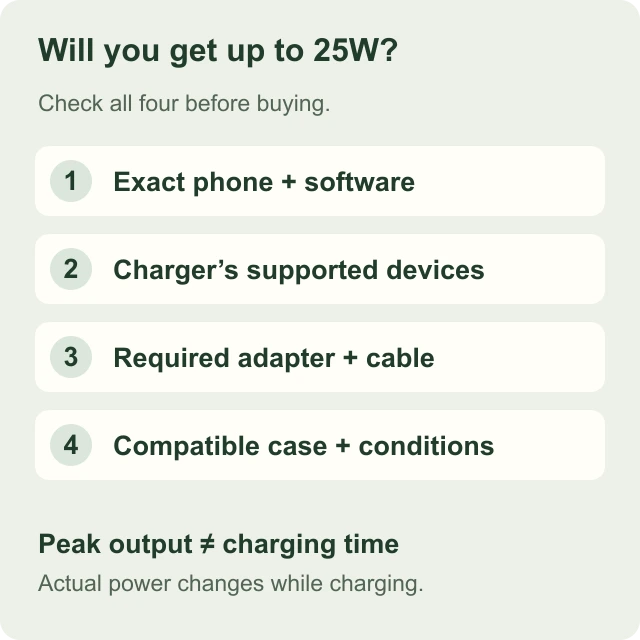
The check that prevents the wrong purchase
Do not buy on the assumption that “magnetic” means 25W. Establish three things separately: the phone supports the relevant wireless standard, the charger lists that phone or a sufficiently specific supported standard, and the chosen power supply meets the charger’s requirements. A phone fitting the stand is not proof of charging speed.
A product family can contain different limits. Google’s own Pixelsnap documentation distinguishes Pixel 10 Pro XL from Pixel 10, 10 Pro and 10 Pro Fold. Apple lists a different maximum for iPhone Air from several other recent iPhones. These are reasons to keep the full model name in a buying checklist rather than shorten it to “Pixel” or “iPhone”.
Published capability: useful examples
This table identifies source-specific capability, not measured results from our collection. Check the named product analysis for the charger’s own supported-device list. Phone software and charger firmware can change compatibility; the linked current manufacturer documentation takes precedence over an old screenshot.
| Exact phone or group | What the primary source establishes | Buying consequence |
|---|---|---|
| Pixel 10 / 10 Pro / 10 Pro Fold | Google Pixelsnap: up to 15W | Do not expect 25W because a station carries a 25W badge. |
| Pixel 10 Pro XL | Google Pixelsnap: up to 25W | Check the required adapter and the selected third-party charger separately. |
| Pixel 11 / 11 Pro / 11 Pro XL / 11 Pro Fold | Google Pixelsnap: up to 25W | A newer phone is not automatically listed by every older third-party station. |
| iPhone Air | Apple lists Qi2 up to 20W | A 25W charger cannot remove the phone’s stated limit. |
| iPhone 16 | Apple’s current technical page lists Qi2 up to 25W | Confirm software and the exact charger’s model-specific conditions. |
| iPhone 16e | Apple lists ordinary Qi wireless charging | Do not treat it as another 25W Qi2 member of the iPhone 16 family. |
| An unlisted phone, including a similarly named variant | Not established by this table | Consult the phone maker and charger maker before purchasing. |
Why two official numbers can differ
A phone specification and an accessory support page may answer different questions. Apple’s MagSafe support page describes the output of particular Apple charger models with particular phones. Its phone specifications describe the phone’s supported charging capability. A result stated for Apple’s own puck should not automatically become the limit for every third-party Qi2 product.
The useful habit is to write the combination down: phone model, software version, charger model and power adapter. If a manufacturer reports a charge time, add the test conditions. That makes it easier to spot a result that belongs to a different accessory or an earlier software version.
When two pages conflict, we do not resolve the conflict by choosing the more impressive number. Our finder uses documented support, and our product analyses identify unresolved details. A lower confirmed expectation is more useful than a higher unsupported one.
A case cannot add a missing charging standard
A ring or magnetic case can change how a phone attaches. It does not, by itself, add a new charging receiver or change the standard supported by the phone. Treat attachment, electrical compatibility and maximum charging capability as separate questions.
Check the phone and charger makers’ case guidance. A camera surround, stand, wallet or other attachment may stop the phone seating as intended even when the case is described as magnetic. Do not place loose metal objects or cards between a charging surface and the phone. Follow the manufacturer’s setup and safety instructions.
An upright charger also needs enough physical clearance for the phone in its chosen orientation. The right electrical standard will not prevent a large case from touching the base or making a folding stand awkward to position.
Check the other devices independently
The phone position is only one part of a multi-device station. Apple Watch, Pixel Watch and Galaxy Watch are not interchangeable labels for a single charging module. Check the watch model and any fast-charging conditions before choosing a station on the strength of its phone support.
For earbuds, find the exact charging case specification. Different cases sold for the same earbud family may have different charging options. A cable-only case needs a cable; the second pad on a station cannot change that. A phone-only magnetic puck should not be assumed to replace an earbud charging pad.
A five-minute compatibility check
Find the model in the phone’s settings and compare it with the charger’s current list. Check the relevant software version. Read the power-input requirement and the included-in-the-box section. Finally, check the case and every secondary device you plan to use.
If the manufacturer does not establish your combination, use a different documented option or ask that manufacturer for clarification before purchase. Our finder deliberately returns an uncertainty message for unverified combinations. It is preferable to a confident-looking recommendation based only on the brand name.
- Phone: full name and software, not just series.
- Charger: exact model and regional version.
- Power: the required output profile, not just total watts.
- Case: supported design and physical clearance.
- Other devices: watch model and wireless-capable earbud case.
Sources & research notes
Manufacturer information establishes documented features. Our conclusions are research-based; we have not physically tested these products.
- Google: Pixelsnap compatibility, power requirements and setup (opens a new tab)
- Apple: using a MagSafe Charger and model-specific power limits (opens a new tab)
- Apple: iPhone 16 technical specifications (opens a new tab)
- Apple: iPhone 16e technical specifications (opens a new tab)
- Apple: iPhone Air technical specifications (opens a new tab)
Checked September 7, 2026. Spotted a changed specification or an error? Send a correction.